

While online shopping is more common than ever, many people still prefer to shop in-store. What has changed is their expectation. They want the process to feel easy, fast, and efficient, with no friction at the counter. This is where the right Point-of-Sale (POS) system plays a key role. It supports smooth transactions, keeps queues moving, and helps staff serve customers with confidence.
With so many options available, choosing a POS system can be overwhelming. Feature lists, technical terms, and sales promises often blur together, which makes the decision harder than it needs to be. Before shopping for a reliable POS system Australia-wide, it helps to understand a few practical factors that cut through the noise and point you towards a system that actually works for your business.
Understand How Your Business Operates
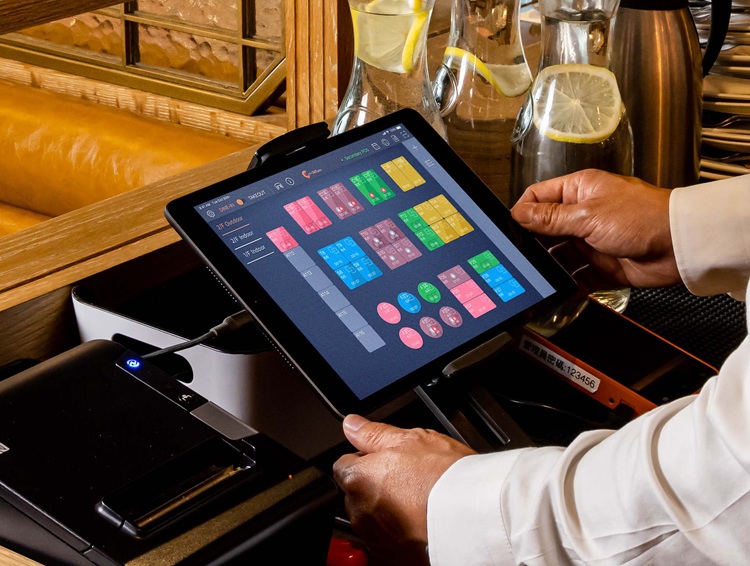
source: cdn.eats365pos.com
The first and most important step is understanding how your business operates. This guides every POS decision that follows. A system that suits one business may not suit another, so clarity helps avoid costly mistakes. Before comparing features or prices, take time to review how sales run day to day. Consider:
- Business type, such as retail, hospitality, or services
- Transaction volume and how fast payments need to be processed
- Customer experience, including checkout speed and accuracy
- Operational needs, like inventory tracking, reporting, or mobile sales
Clear answers narrow the options and point you towards a system that truly fits.
Consider Ease of Use
A POS system only works well if your staff can use it confidently. Complex or unintuitive systems slow transactions, increase mistakes, and affect customer service. Look for an interface that is simple to navigate for both new hires and experienced employees. Short training times can save stress and reduce errors, while touchscreen interfaces and mobile POS options add flexibility at the counter or on the floor. The system should simplify tasks like processing payments, tracking sales, or managing inventory, rather than adding extra steps. Choosing a user-friendly POS ensures smoother operations and a better experience for staff and customers.
Think About Scalability
A POS system should support your business today and still fit as it grows. Consider whether the software allows multi-location management, cloud access, and real-time reporting to stay on top of sales and operations. Check if updates or new features are included without additional costs, as this keeps the system current without extra investment. Scalable POS systems accommodate more transactions, new staff, and additional hardware as needed. Choosing a system that can expand with your business avoids disruption, reduces the need for future replacements, and ensures the same efficiency and reliability as operations evolve.
Check Hardware and Software Compatibility
Not all POS systems work with the same hardware, so compatibility matters. Some systems come as all-in-one solutions, while others require separate purchases like receipt printers, barcode scanners, or card readers. Ensure the POS integrates with your existing devices to avoid unnecessary replacement costs.
Also consider future needs, as growth may require extra devices. The system should also integrate with other business tools, such as inventory management, CRM, or accounting software, to streamline operations. Flexible, durable hardware that suits the business environment supports reliable daily use and long-term efficiency.
Review Costs
Choosing a POS system involves more than just looking at the sticker price. Understanding the total cost of ownership helps avoid surprises later. Start by assessing initial setup costs, including hardware, software, and installation. Then consider ongoing fees, such as monthly or annual subscriptions, and what features are included versus optional add-ons.
Some systems also charge transaction fees per payment, which can add up if your business processes high volumes. Factor in any extra charges for integrations or upgrades. Comparing all costs ensures the POS fits your budget and provides long-term value without hidden expenses.
Test Customer Support and Reliability
Customer support can make or break your POS experience. A reliable provider should offer multiple ways to get help, including phone, email, and live chat, and be available at times that match your business hours. Fast response times are especially crucial during setup or training.
Look for vendors that provide training resources, tutorials, and an online knowledge base to help your team get up to speed quickly. Being able to access support for troubleshooting, software updates, or hardware issues ensures problems are resolved fast, keeping your business running efficiently with minimal downtime.
Final Thoughts
These tips can help you select the right POS system, but it all comes down to your business needs, budget, and daily operations. Every business is different, so what works for one may not work for another. Whether you run a retail store, café, or service business, knowing what you need makes finding a POS system Australia-wide much easier. The right system keeps things simple, helps your business run smoothly, and makes serving customers easier and faster.